
How Can You Add a WebMCP Interface to Any Website?
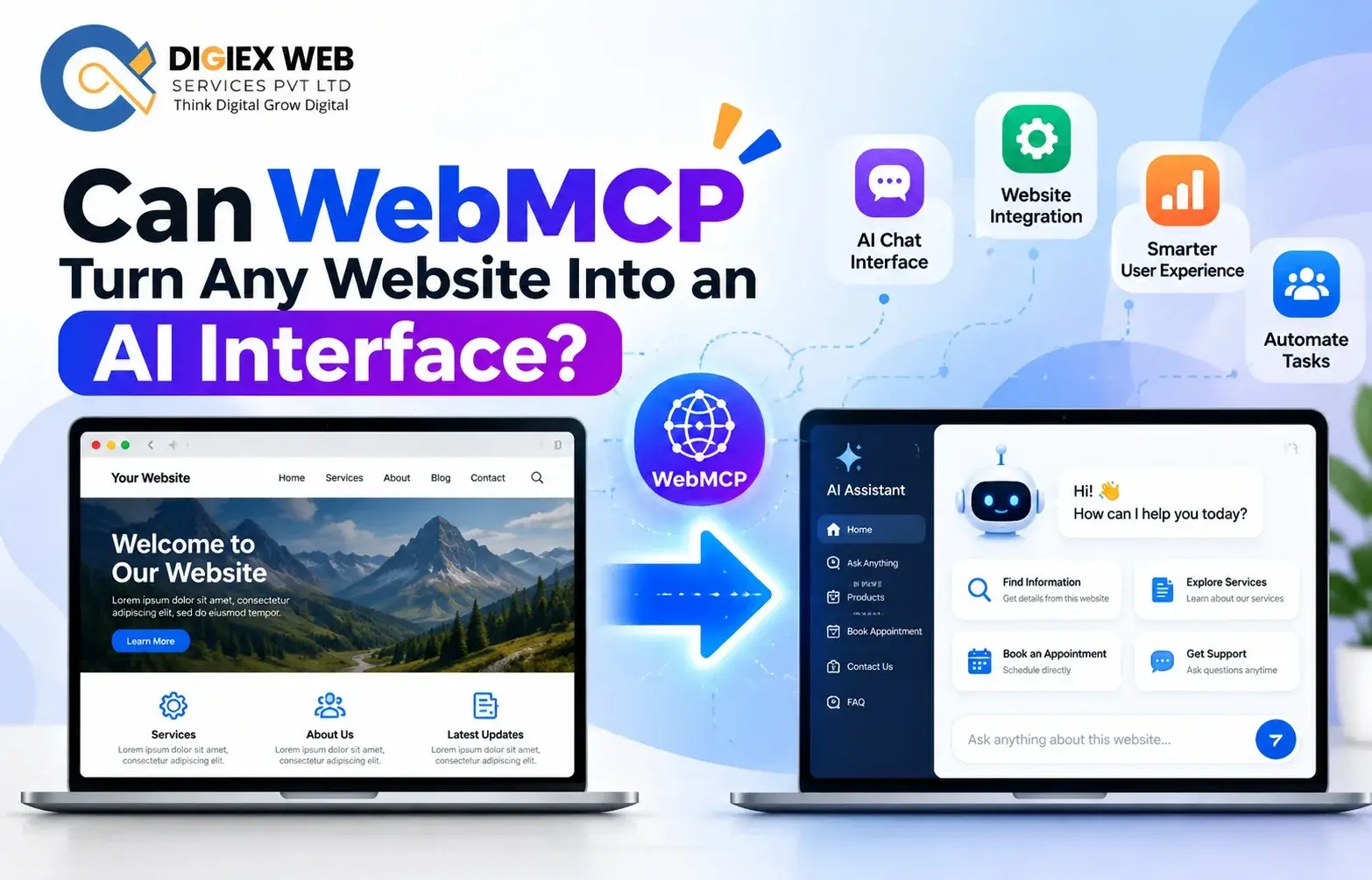
WebMCP can help turn a website into an AI-friendly interface by exposing useful website functions as structured tools. This allows compatible AI agents to discover and interact with features such as forms, searches, bookings, and other actions. As a result, websites can become easier for AI agents to understand, navigate, and use without requiring completely separate interfaces for every task.
How to add WebMCP interface to an existing website is becoming an important question for businesses exploring AI-ready websites. A Best Web Development Company in Kolkata can implement WebMCP integration service for websites so AI agents can interact with selected website functions.
What Is WebMCP and How Does It Work?
WebMCP, or Web Model Context Protocol, is an emerging browser technology that allows websites to expose specific capabilities as tools that AI agents can discover and use. Current WebMCP documentation describes both declarative and imperative approaches for registering website tools.
In practical terms, a website can expose useful actions such as:
- Searching products
- Finding services
- Checking availability
- Booking appointments
- Adding items to a cart
- Navigating website functions
- Submitting structured information
- Managing selected application states
Instead of requiring an AI agent to imitate every mouse click or page interaction, WebMCP allows a website to describe specific actions in a machine-readable way.
How to Add WebMCP Interface to an Existing Website?
The process of how to add WebMCP interface to an existing website depends on the website’s technology, architecture, and functions.
1. Identify Useful Website Actions
First, identify actions that an AI agent could perform meaningfully.
For example:
- Search a product catalogue
- Find a service
- Book an appointment
- Check an order
- Submit an enquiry
- Search a knowledge base
- Add a product to a cart
Not every button needs to become a WebMCP tool. Chrome’s current Lighthouse guidance recommends registering useful tools for the current page state and avoiding excessive tool registration because too many tools can consume model context and increase confusion.
2. Define Clear Tool Names
Each exposed capability should have a clear, action-oriented name.
For example:
| Website Function | Possible Tool Name |
| Product search | search_products |
| Appointment booking | book_appointment |
| Service search | find_services |
| Cart addition | add_to_cart |
| Order lookup | check_order |
| Contact request | submit_enquiry |
Clear naming helps an AI agent understand what a tool does and when it should be used. Before hire client can check our web development portfolio click: https://digiexweb.com/portfolio/web-development-portfolio
3. Describe the Tool Clearly
A WebMCP tool should have a meaningful description and appropriate input schema.
For example, a booking tool could require:
- Customer name
- Preferred date
- Preferred time
- Service type
- Contact information
Clear descriptions and structured parameters make the tool easier for an agent to understand and invoke appropriately. Chrome’s WebMCP guidance specifically recommends action-oriented names and detailed descriptions.
4. Choose the WebMCP Integration Method
WebMCP can support different implementation approaches.
The declarative API can associate tool information with HTML forms, while the imperative API allows developers to register tools through JavaScript. Chrome’s current documentation describes the imperative approach through the modelContext interface and registerTool().
The appropriate method depends on the website’s functionality and development architecture. make a consultation click: https://digiexweb.com/consultation
How Does WebMCP Integration Work?
A simplified WebMCP workflow looks like this:
Website → Registered Tool → AI Agent → User Request → Tool Execution → Website Response
For example:
- A user asks an AI assistant to find a service.
- The agent identifies an appropriate website tool.
- The agent supplies the required parameters.
- The website executes the defined function.
- The result is returned to the agent.
- The user receives the relevant information.
This approach can make selected website functions more accessible to AI-driven interfaces.
What Can WebMCP Do for Business Websites?
A properly planned WebMCP integration service for websites can make selected business functions accessible to compatible AI agents.
E-Commerce Websites
Possible tools include:
- Search products
- Check product information
- Add products to cart
- Check order status
- Find delivery information
Healthcare Websites
Depending on applicable privacy, security, and regulatory requirements, potential tools could include:
- Find available services
- Search doctor profiles
- Request an appointment
- Find clinic information
Sensitive medical or personal information requires appropriate authentication, authorisation, privacy, and security controls. Check our Case Study click: https://digiexweb.com/case-studies
Service Websites
Service businesses could expose tools for:
- Finding services
- Requesting quotations
- Checking availability
- Booking consultations
- Submitting enquiries
Travel Websites
Potential capabilities may include:
- Search destinations
- Find accommodation
- Check availability
- Search travel options
- Start a booking workflow
Actual capabilities should depend on the website’s backend systems and security controls.
Why Is WebMCP Important for AI-Ready Websites?
Traditional websites primarily communicate with human visitors through visual interfaces. AI agents introduce another interaction layer.
A WebMCP-enabled website can expose selected functions in a structured manner, potentially allowing compatible agents to interact with those functions without relying entirely on visual page interpretation.
Therefore, WebMCP can become part of a broader AI-ready web development strategy.
However, WebMCP should not replace conventional website usability. Human visitors still need accessible navigation, readable content, responsive design, forms, and clear calls to action.
WebMCP vs Traditional Website Interaction
| Feature | Traditional Interaction | WebMCP-Enabled Interaction |
| Primary interface | Human-facing UI | AI-callable website tools |
| Interaction method | Clicks and forms | Structured tool invocation |
| Discovery | Human navigation | Agent can discover registered tools |
| Parameters | Form fields | Defined tool inputs |
| Automation | Usually external | Selected functions can be exposed directly |
| Human usability | Essential | Still essential |
| Security | Website security | Website + tool-level controls |
WebMCP does not eliminate the traditional website. Instead, it can add an additional machine-interaction layer.
How Can a Web Development Company Implement WebMCP?
A Best Web Development Company in Kolkata can approach WebMCP integration as a structured development project.
Website Audit
The development team first examines:
- Frontend framework
- Backend architecture
- APIs
- Forms
- Authentication
- Database workflows
- Existing business functions
Tool Mapping
Next, useful website actions are mapped into potential WebMCP tools.
Schema Design
Each tool needs appropriate parameters and validation.
For example, an appointment tool might require a date and service type while a product-search tool may require a search phrase and optional filters.
Integration
The development team then implements the selected WebMCP API approach and connects tools with existing website functionality.
Testing
Tools should be tested for:
- Valid inputs
- Invalid inputs
- Authentication
- Authorisation
- Error handling
- Data exposure
- Unexpected requests
- Website compatibility
Monitoring
After deployment, businesses should monitor tool behaviour and update descriptions, schemas, and available tools as website functionality changes.
What Should You Consider Before WebMCP Integration?
Before choosing a WebMCP integration service for websites, consider these areas:
Security
AI-accessible tools should expose only the functionality that is necessary. Authentication and authorisation should remain important for protected actions.
Data Privacy
Do not expose sensitive information merely because a website already stores it. Tool access should follow appropriate privacy and access-control policies.
User Confirmation
Actions such as purchases, bookings, account changes, or other consequential operations may require appropriate user confirmation. The broader MCP guidance recommends keeping a human in the loop for tool invocations.
Error Handling
Tools should return understandable results when an action fails, parameters are incomplete, or the backend is unavailable.
Tool Quantity
More tools do not automatically mean a better AI interface. Current Chrome guidance recommends keeping the available tool set focused and useful.
Why Hire a WebMCP Developer for Website Integration?
Businesses planning to hire WebMCP developers for website integration should look for expertise across both web development and AI-oriented interfaces.
A suitable developer should understand:
- HTML and JavaScript
- APIs
- Frontend frameworks
- Backend services
- Authentication
- JSON schemas
- WebMCP concepts
- Security practices
- Testing and monitoring
WebMCP integration should connect naturally with the website’s existing business logic rather than creating a disconnected layer.
What Makes a Website Ready for WebMCP?
A website is easier to prepare for WebMCP when its important functions already have:
- Clearly defined workflows
- Structured APIs
- Validated inputs
- Consistent responses
- Authentication controls
- Reliable backend logic
- Clear error handling
Therefore, WebMCP can also encourage businesses to organise website functionality into cleaner, reusable actions.
Digiex Web Services Pvt Ltd for WebMCP Integration
Digiex Web Services Pvt Ltd, led by Mr. Arup Mondal, can approach WebMCP as an extension of modern website development rather than treating it as an isolated feature.
For businesses considering WebMCP, the development process can begin by identifying valuable website actions, assessing the existing technical architecture, defining tool parameters, implementing suitable integration methods, and testing the resulting workflows.
Businesses looking to hire WebMCP developer for website integration can evaluate their existing website first and determine which functions would provide meaningful value through an AI-accessible interface. Check client’s testimonial click: https://shorturl.at/nwzhD
WebMCP Integration Checklist
Before launching a WebMCP-enabled website, review this checklist:
- Identify useful website functions
- Select appropriate tools
- Create clear tool names
- Write precise tool descriptions
- Define input parameters
- Validate user inputs
- Protect sensitive operations
- Review authentication requirements
- Add error handling
- Test tool execution
- Review user-confirmation requirements
- Monitor tool performance
- Remove unnecessary tools
Conclusion
WebMCP can give websites a new AI-accessible interaction layer by exposing selected functions as structured tools. Businesses can begin with useful actions, secure their workflows, and test each integration carefully. For organisations exploring this emerging technology, Digiex Web Services Pvt Ltd, led by Mr. Arup Mondal, can help evaluate website architecture and plan practical WebMCP integration around business needs. Check our map link: https://maps.app.goo.gl/gftv12dM8mdBZdvA6
Frequently Asked Questions
What is WebMCP and how does it work?
WebMCP is an emerging web technology that allows websites to expose selected capabilities as tools that compatible AI agents can discover and invoke. Current implementations use WebMCP APIs to register these tools within web pages.
Can WebMCP be added to an existing website?
Yes, WebMCP can be considered for an existing website when its functions can be mapped into suitable tools. The implementation depends on the website’s frontend, backend, APIs, and browser support.
How to add WebMCP interface to an existing website?
Start by identifying useful website actions, define clear tools and input schemas, select the appropriate WebMCP API, connect the tools with existing business logic, and test security and execution behaviour.
Why should a business use WebMCP?
WebMCP can provide a structured way for compatible AI agents to interact with selected website functions. This can complement traditional human-facing website interfaces.
What is a WebMCP integration service for websites?
A WebMCP integration service involves planning, developing, testing, and maintaining AI-accessible website tools that connect with existing website functions.
Should every website function become a WebMCP tool?
No. Tools should be selected based on genuine user and business value. Excessive tool registration can increase context consumption and make it harder for agents to identify the appropriate action.
Can WebMCP handle website transactions?
Potentially, depending on the implementation and website architecture. Transactional actions should use appropriate authentication, authorisation, validation, and user-confirmation controls.
Recent Posts

How Can You Secure Your WordPress Website in 2026?
October 16, 2026 | Admin

Can AI Search Help Customers Discover Your Business Before Competitors?
October 9, 2026 | Admin
Can LiteRT.js Unlock Smarter Web AI?
September 25, 2026 | Admin

Which Website Platform Fits Your Business Best?
September 18, 2026 | Admin